# ⚡ Zeus Grabber v1.0 (GUI)
**Multi-Function Domain Tool:** Reverse IP, IP Generator, Domain-to-IP Conversion, Google Search Dork & SQli, Zone-H
---
Zeus Grabber is an **open-source** multi-tool for managing domains, automating reverse IP lookups, generating random IPs, converting domains to IPs, performing Google searches, and Zone-H Grab Domain.
> **Note:** I have an announcement! Google and Zone-H Grabber was originally coded in 2022 (copyright 2022), but I have made it public in 2024 with updated code to further improve its performance and usability.
Enjoy using this tool for **free**! 🚀
## Join Community & Suggest a Feature
[](https://t.me/burnwpcommunity)
---
## 📷 Screenshots :
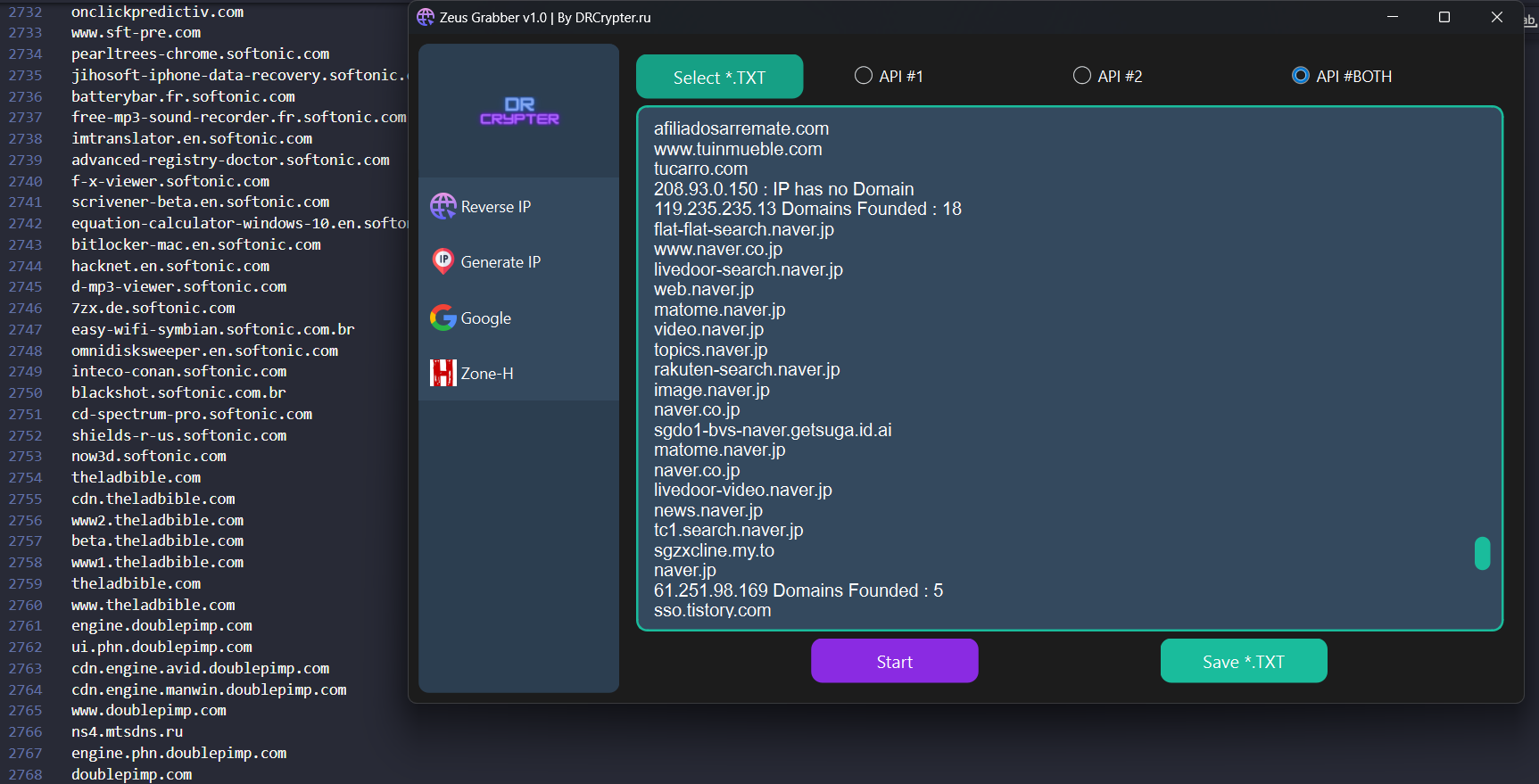
🌐 **Reverse IP**
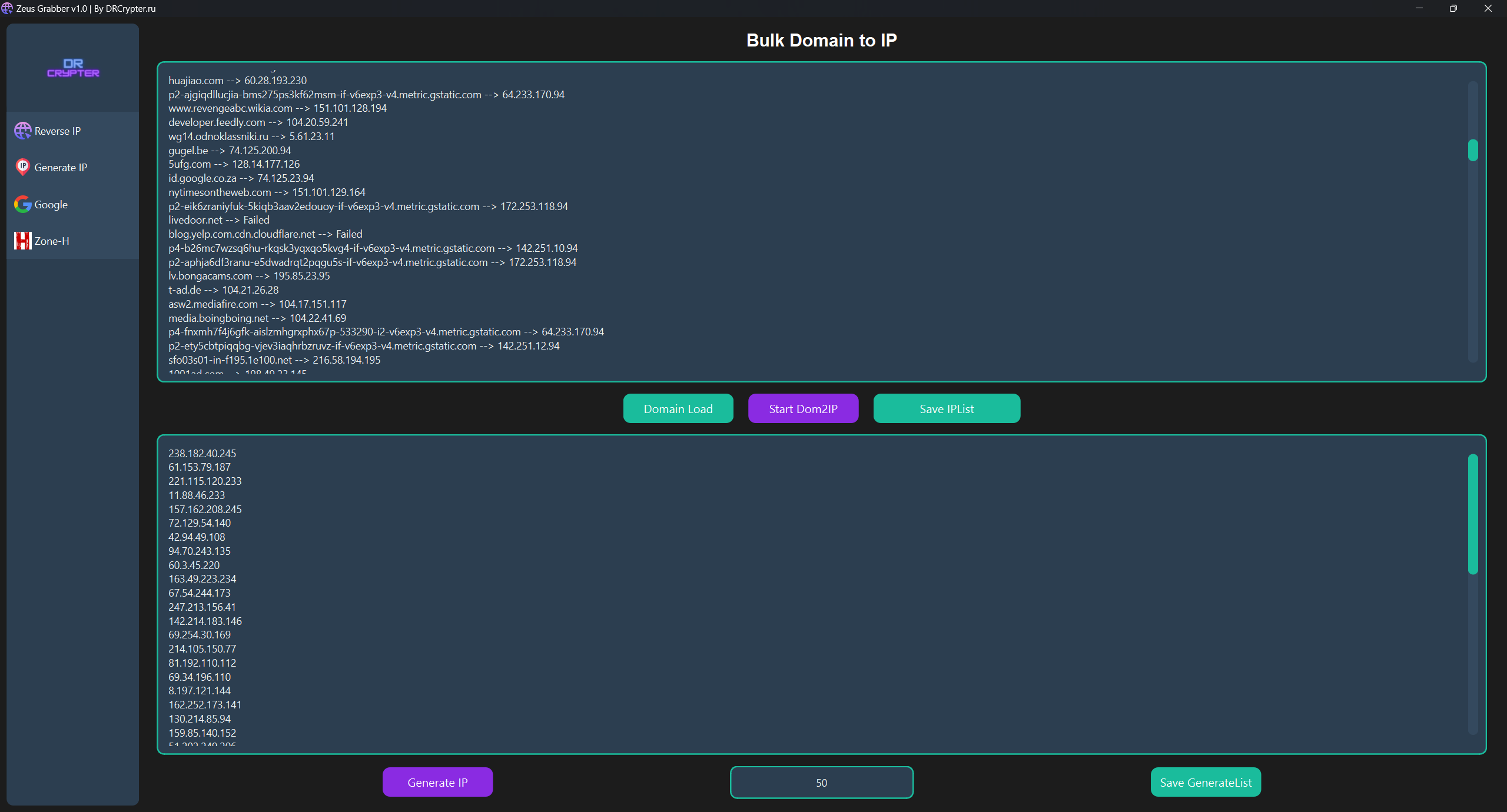
🌐 **Generate IP**
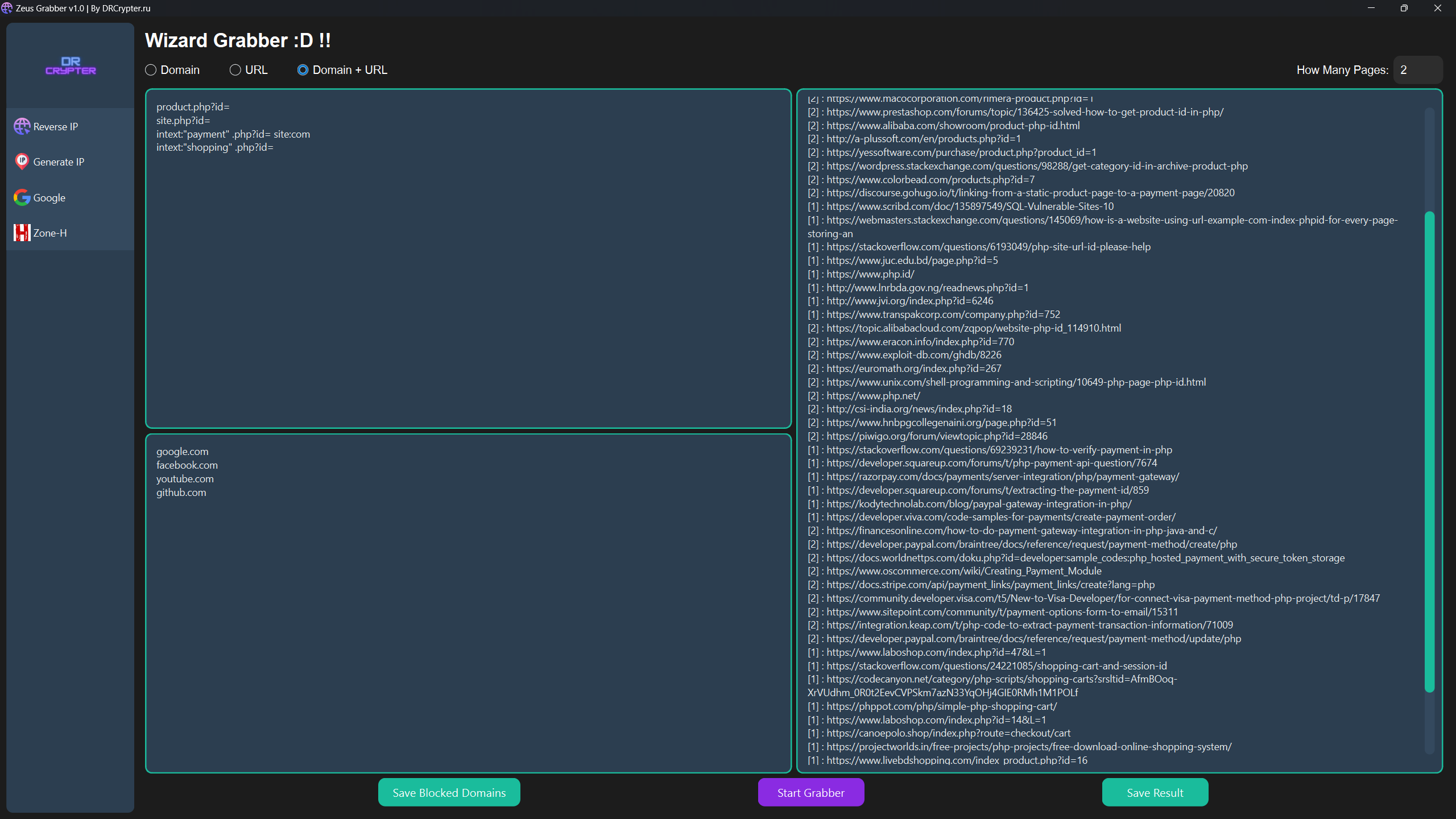
🌐 **Google Grabber**
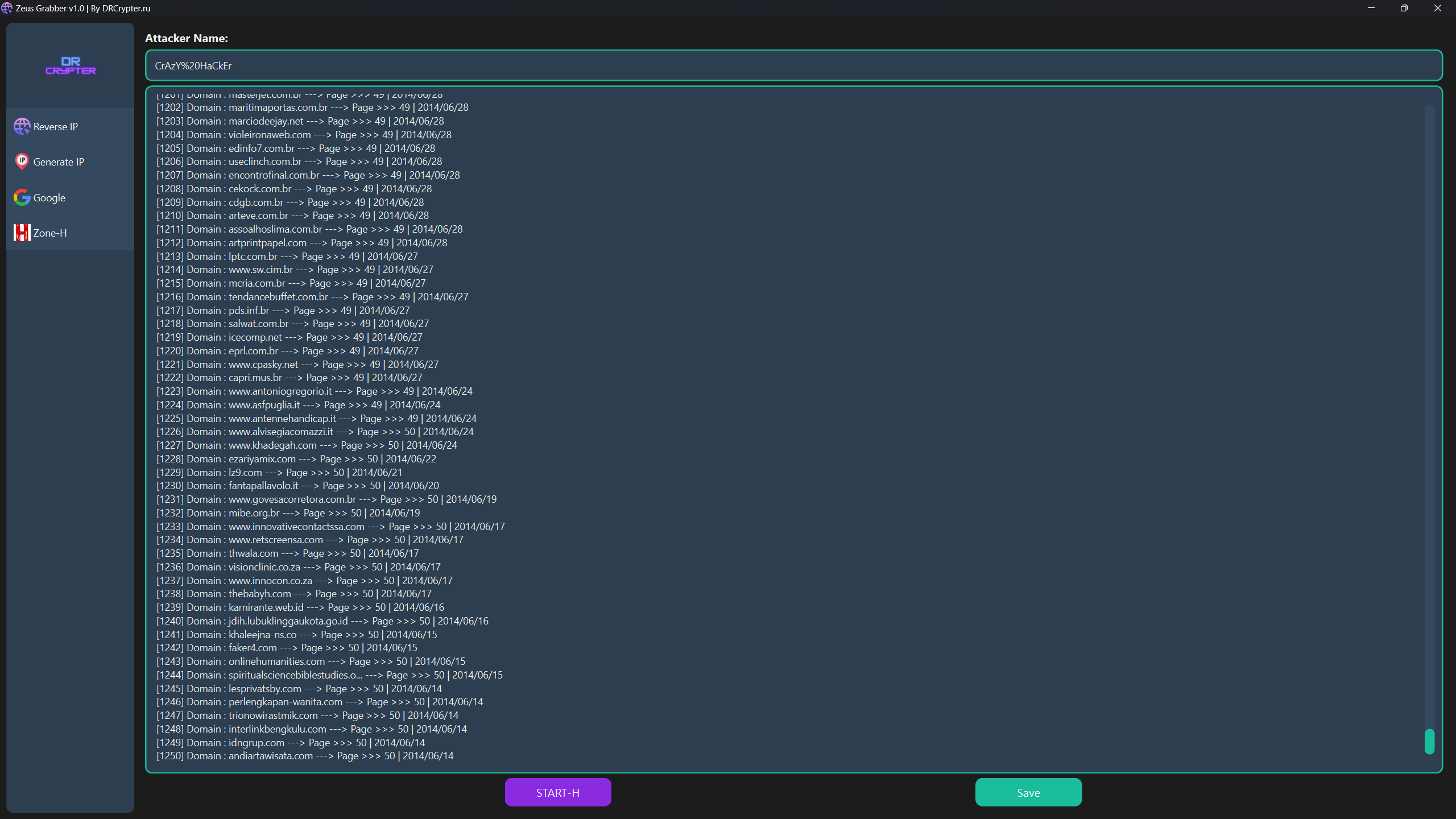
🌐 **Zone-H**
## 🚒 Installation
### Run from Source (Python)
1. Clone the repository and navigate into the project directory:
```bash
git clone https://github.com/drcrypterdotru/zeus-grabber
cd zeus-grabber
```
2. Install the required dependencies:
```bash
pip install -r requirements.txt
```
Or for Python 3:
```bash
python3 -m pip install -r requirements.txt
python3 Main.py
```
### Run from EXE (No Installation Needed)
You can download and run the **executable** from the [Releases section](#). No Python installation is required, just **one click** to run. 🎉
---
## ⚙️ Features
| Feature |
|--------------------------|
| 🔄 Reverse IP |
| ⚙️ IP Generator |
| 🔍 Google Search Dork & SQLi |
| 📜 Zone-H Grab Domain |
Usage Instructions
### 🔄 Reverse IP
1. **Select a TXT file** (`IP_List.txt`) containing a list of IP addresses.
2. Choose **API #1**, **API #2**, or **Both APIs**. Note: Using both might be slower depending on your network speed.
3. **Save the results** as a `.txt` file.
4. Click **Start** to begin the reverse IP lookup.
### ⚙️ IP Generator
This tool offers two IP generation options:
1. **Convert Domain to IP:**
- Load your domain list (`Domain_List.txt`).
- Save the generated IP list as a `.txt` file.
- Click **Start Dom2IP**.
2. **Generate Random IPs:**
- Input the number of IPs you want to generate.
- Save the results to a `.txt` file.
- Click **Generate IP**.
### 🔍 Google Search Automation
- Input your search queries (dorks) into `Dork_List.txt`, either one per line or multiple at once.
- The program automates Google search for each query. Just like using Google manually but faster! 🕵️♂️
- **Important**: Google captcha bypass is not supported, so you’ll need to solve captchas manually when prompted.
- Save the results in two formats:
- **Domain format** (e.g., google.com).
- **Full URL format** (e.g., example.com/product.php?id=...).
- Or both formats.
If you want to exclude certain domains, use the **Block Domain** feature at the bottom of the dork list and save before starting.
### 📜 Zone-H Username Input
- Input the **Zone-H Grab Domain** you want to search.
- Click **Save** and then **Start-H** to retrieve data.
**Note**: Captchas need to be solved manually, including for Zone-H searches.
---
## 🚀 How to Run
- After installation, launch the application by running:
```bash
python Main.py
```
- Or, use the executable version available in [Releases](#) for run the Zeus-Grabber.
---
## Video Usage
[](https://www.youtube.com/watch?v=DlXZ7zNl_Gg)
## More Tools on Forums
Explore our community and connect with us on visit our website for more Tools and Resources!
[](https://drcrypter.ru)
---
## 🤝 Contributing
We welcome contributions! Feel free to fork this repository, make enhancements, and open pull requests. Please check the [issues](#) page for ongoing tasks or bug reports.
yi
---
## 📜 License
This project is licensed under the **MIT License**. See the [LICENSE](LICENSE) file for details.
---
> ⚠️ **Disclaimer**: This tool is for educational purposes only. 🏫 The creator and contributors are not responsible for any misuse or damages caused. Use responsibly, and only on systems you own or have permission for. ✅
---
### 🎉 Enjoy Using Zeus Grabber v1.0!
If you encounter any issues or have questions, feel free to reach out or open an issue on GitHub.